Shipped notification (Standard & FB Utility)
Shipping notifications inform customers when their orders move into fulfilment stages such as Ready to Ship or Shipped.
In Boxify, these notifications can be sent through:
- Standard Message (System Message)
- FB Utility Message
1️⃣ Standard Shipped Notification
Section titled “1️⃣ Standard Shipped Notification”By default, Boxify provides a Standard Shipped Notification.
Merchants can configure this message under the system message settings.
Go to Setting > Shipped Notification
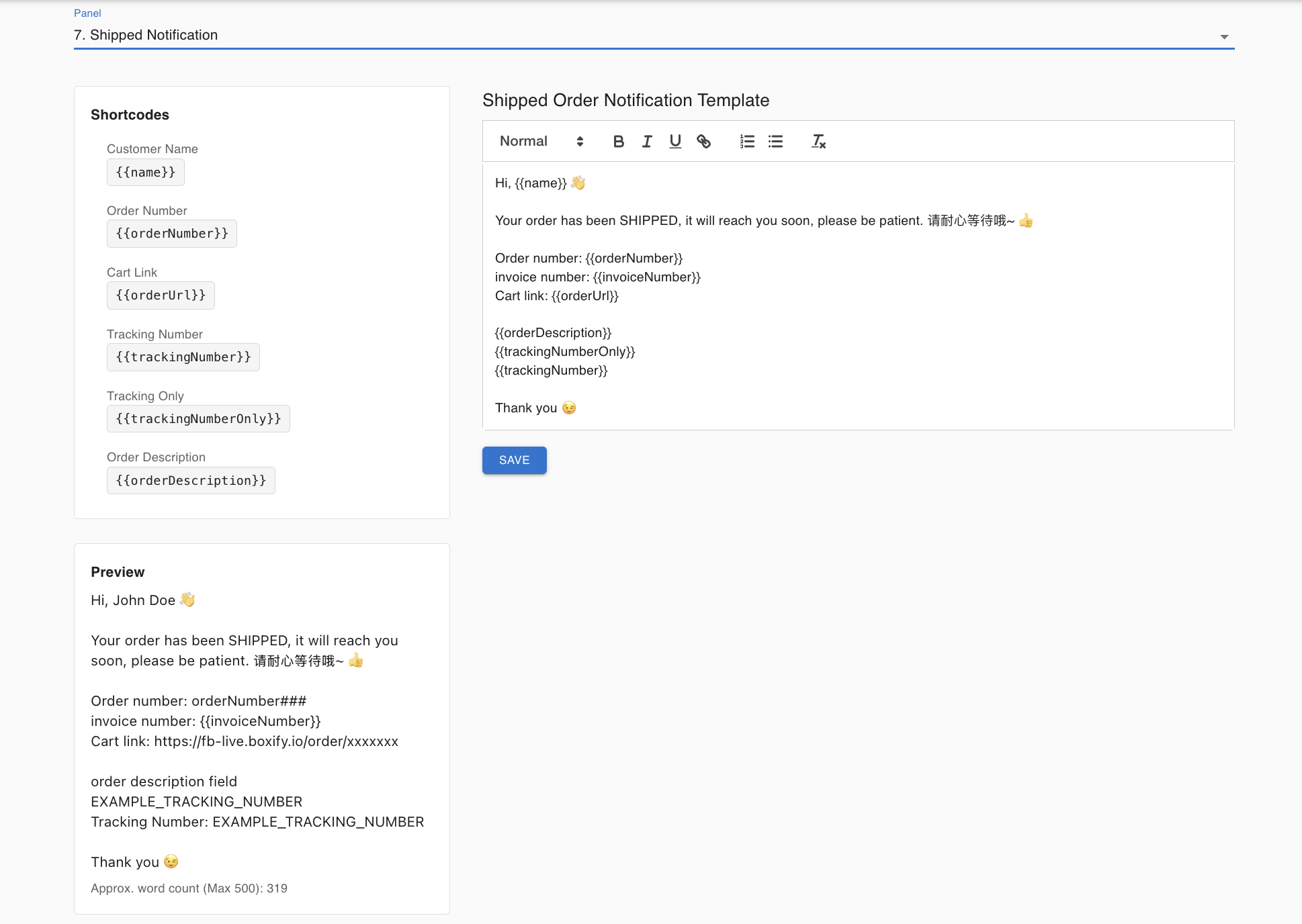
When the order status changes to:
- Shipped
The system will automatically send the standard shipping notification.
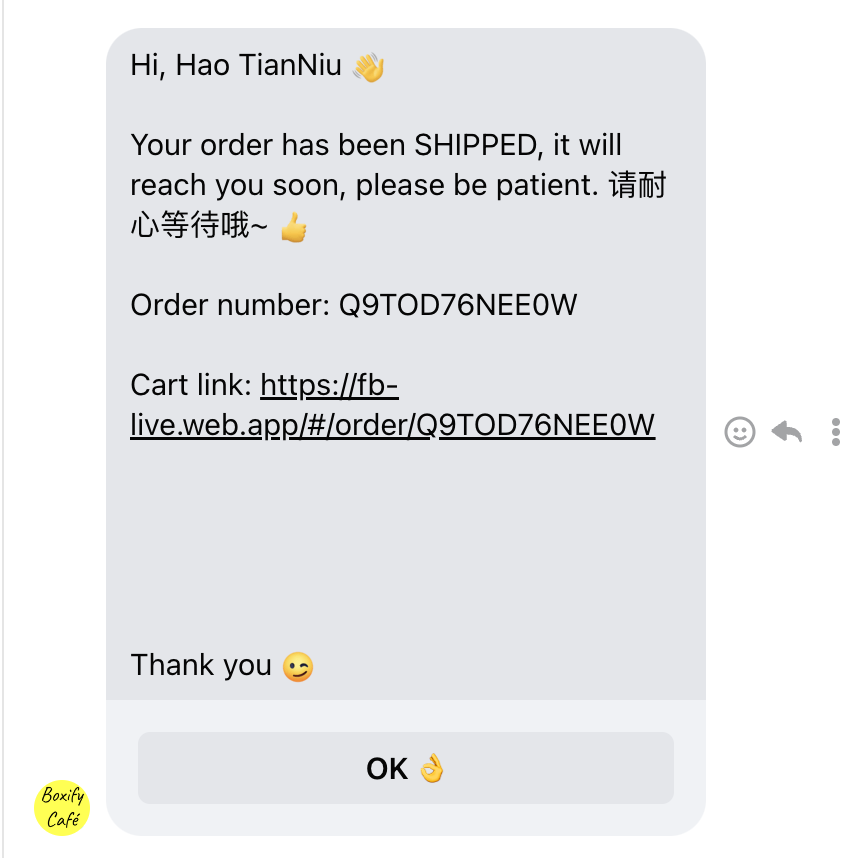
⚠ Limitation of Standard Messages
Section titled “⚠ Limitation of Standard Messages”Standard messages are subject to Facebook’s 24-hour messaging rule.
This means:
- If the customer interacted with the page within 24 hours → The message will be delivered normally.
- If more than 24 hours have passed → The message may not be delivered.
Before FB Utility Message was introduced, some customers did not receive shipped notifications because of this limitation.
📌 How It Works Now
Section titled “📌 How It Works Now”If:
- Customer is within 24 hours → Standard message works.
- Customer is outside 24 hours → System uses the configured FB Utility Message template.
This ensures customers receive shipping updates regardless of interaction timing.
3️⃣ Ready to Ship vs Shipped
Section titled “3️⃣ Ready to Ship vs Shipped”Both statuses are considered fulfilment updates.
🔹 Ready to Ship
Section titled “🔹 Ready to Ship”Indicates the order is prepared for dispatch. Configure this under Setting > FB Utility Message
🔹 Shipped
Section titled “🔹 Shipped”Indicates the order has been dispatched.
Both can trigger shipping notifications.
4️⃣ Important Notes
Section titled “4️⃣ Important Notes”✔ FB Utility Message template must be properly set up and approved. ✔ If Utility Message is not configured, shipping notifications may fail outside the 24-hour window. ✔ Shipping notifications do not confirm payment — they only reflect fulfilment status.
5️⃣ Best Practice for Merchants
Section titled “5️⃣ Best Practice for Merchants”- Keep Standard Shipped Notification enabled.
- Set up and approve FB Utility Message template.
- Add tracking number before marking as Shipped for better customer experience.
Quick Summary
Section titled “Quick Summary”-
Proper template setup ensures full coverage
-
Shipped Notification = fulfilment update
-
Standard message works within 24 hours
-
FB Utility Message allows sending beyond 24 hours