
Setting Up Live Window
This article explains the Live Window settings and how to configure them before your Facebook Live.
Live Window helps you manage customer orders during Facebook Live sessions — especially when comments come in fast or when Facebook filters some comments out.
What Live Window is used for
Section titled “What Live Window is used for”Use Live Window when you need to:
- View and manage Facebook Live comments in one place
- Add orders manually for customers
- Handle orders that were missed due to Facebook comment filtering
- Run bidding sessions
- Take manual control of orders instead of relying on keywords
Where to find the setting
Section titled “Where to find the setting”- Log in to your Boxify system.
- Go to Settings › General › Parameters.
- Scroll down to the Live Window section.
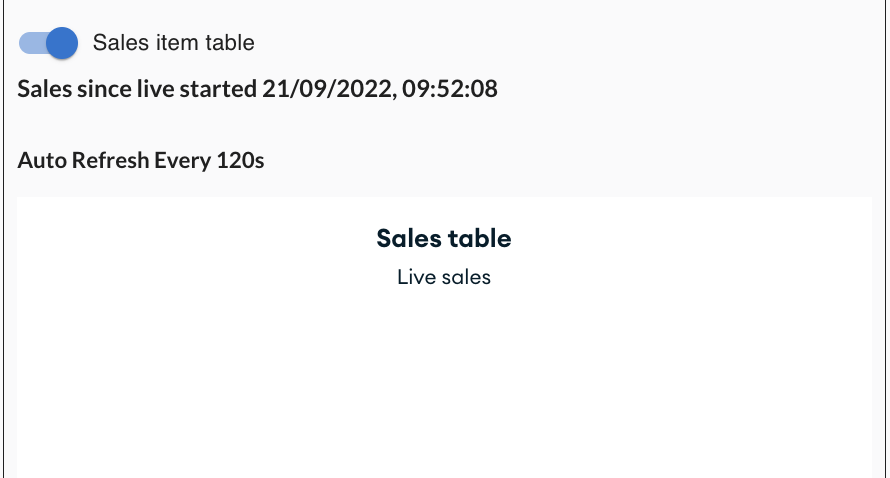
Hide the Sale Table from assistants
Section titled “Hide the Sale Table from assistants”Turn on this option to prevent staff with the Assistant role from seeing the Sale Table.
When turned on:
- Assistants cannot see the Sale Table.
- Full sales data stays visible only to Admin users.
Set how long unpaid orders are shown
Section titled “Set how long unpaid orders are shown”You can control how long a customer’s unpaid orders stay visible in Live Window.
The default is 48 hours. Adjust this to match how long you want unpaid order reminders to appear during live selling.
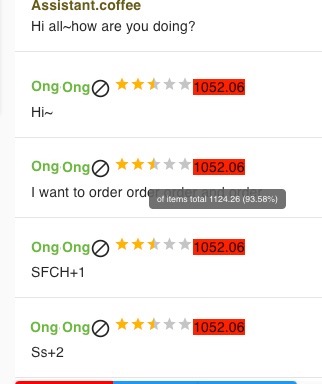
The colour of each customer row shows their payment status at a glance:
| Colour | Meaning |
|---|---|
| Green | No outstanding balance (owes 0%) |
| Amber | Has paid less than half of their outstanding amount (owes 50%) |
| Red | Has paid nothing (owes 100%) |
See also: