Connect POS MALAYSIA Account
Prerequisite: Please get your client_id, client_secret, and accountNo from your POS MALAYSIA account manager.
Step 1: Configure POS MALAYSIA in Boxify
Section titled “Step 1: Configure POS MALAYSIA in Boxify”- Login into Boxify and go to Settings → Shipping Profiles.
- Create a new profile and select POSLAJU_MY profile.
- Fill in all the required fields. P.S. subscriptionCode is BOXIFY
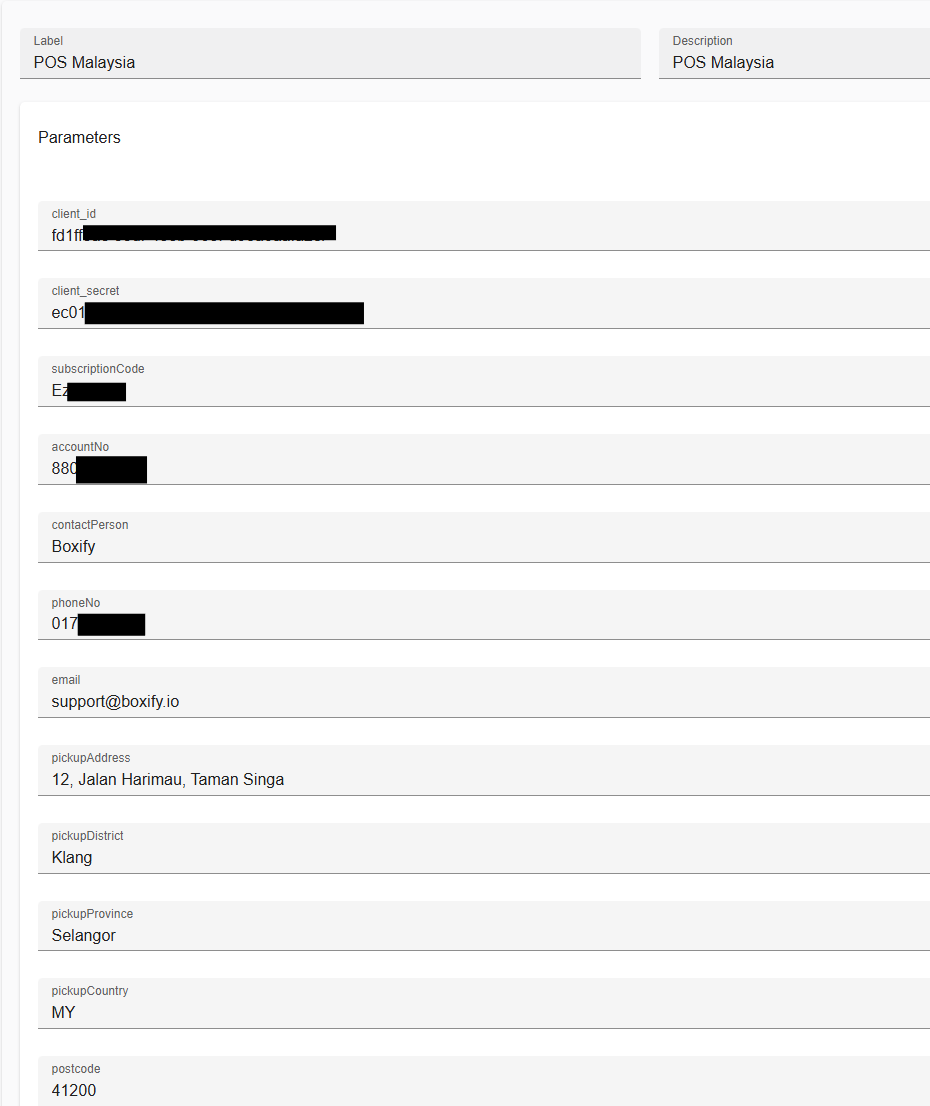
- Click Save, and you are done!
POS MALAYSIA Actions
Section titled “POS MALAYSIA Actions”Select the orders you want to send to POS MALAYSIA.
Select “COURIER” → “POS MALAYSIA”, then you will see POS MALAYSIA’s actions.
1. Create AWB
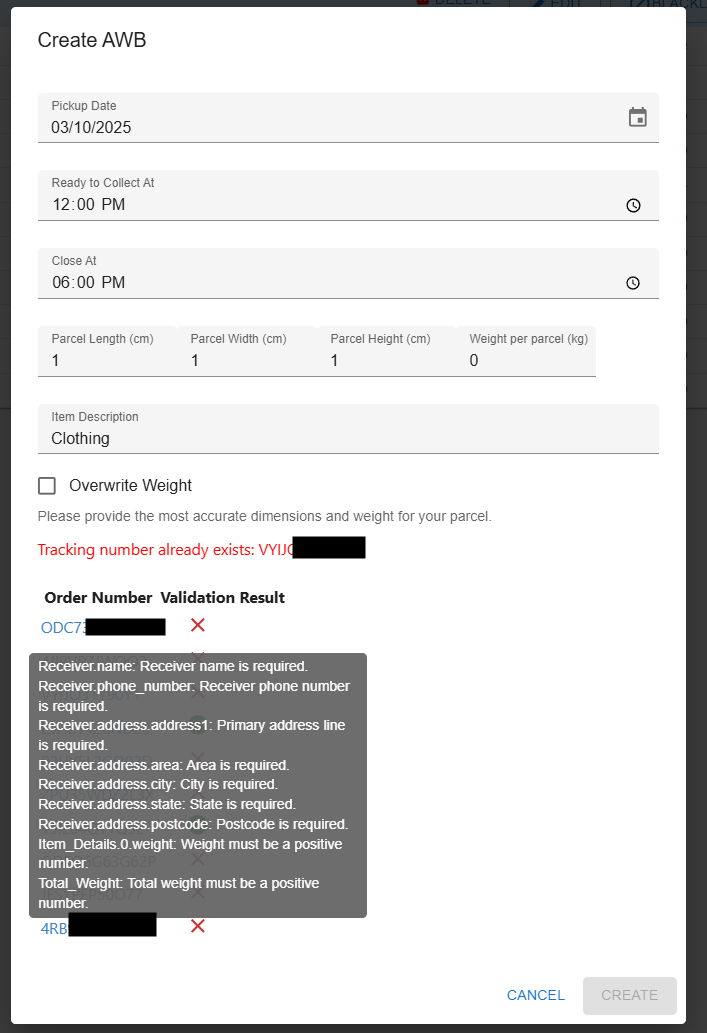
Section titled “1. Create AWB”Send Boxify’s orders to POS MALAYSIA to create an AWB.
Ensure all validations are passed before submitting the order. Move your cursor to the X sign to see validation errors.
2. Print AWB
Section titled “2. Print AWB”Reprint the AWB that you have created earlier.
