
Top Spenders Report
The Top Spenders Report ranks your customers by total amount spent within a date range — useful for loyalty programs, VIP rewards, and marketing campaigns.
How to export the top spenders report
Section titled “How to export the top spenders report”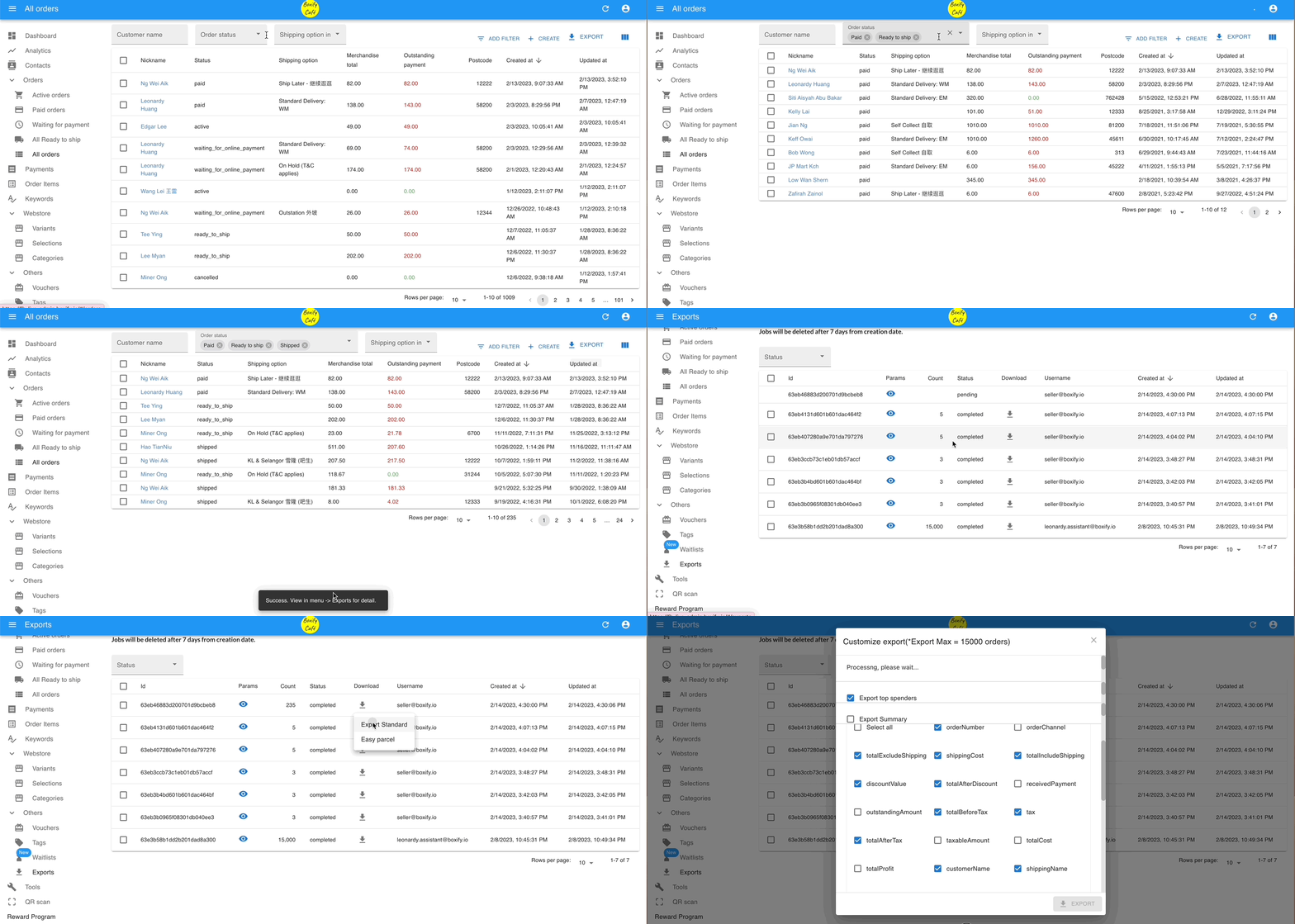
- Go to All Orders in the left menu.
- Filter by order status and set the start date and end date you want.
- Click Export.
- Click Exports in the left menu.
- Click the download icon (
 ) next to your export file, then select Export Standard.
 - Select Export top spenders, then click Export.
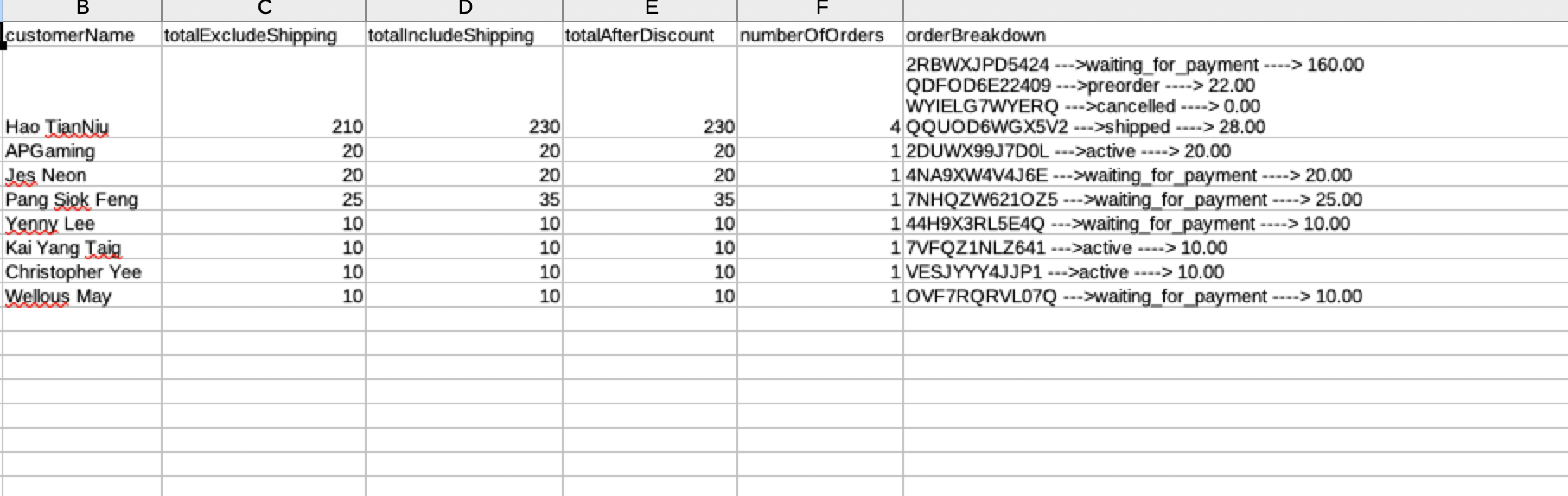
See also: