Monitor Your Page Quality & Insights to Prevent Restrictions
Facebook Page Quality and Page Insights provide important information about your Page’s health and compliance with Facebook policies.
Monitoring these reports regularly helps you:
✔ Understand how Facebook views your Page ✔ Detect potential issues early ✔ Prevent message or posting restrictions ✔ Avoid temporary bans or blocks
Why Page Quality Matters
Section titled “Why Page Quality Matters”Facebook may limit certain Page actions — such as sending Messenger messages or posting content — when:
- Page receives spam reports
- Community Standard violations occur
- Users mark messages or comments as inappropriate
- Automated or spam-like behavior is detected
Such limits may result in:
- Messenger restrictions
- Messaging quota reduction
- Live posting limitations
- Temporary bans
Where to Find Page Quality and Insights
Section titled “Where to Find Page Quality and Insights”To view your Page quality and metrics:
- Go to your Facebook Page
- Click Page Settings
- Choose Page Quality
- Choose Insights
Here you can see:
✔ Content issues ✔ Spam reports ✔ Community standard flags ✔ Engagement trends ✔ Messaging insights ✔ Audience reactions
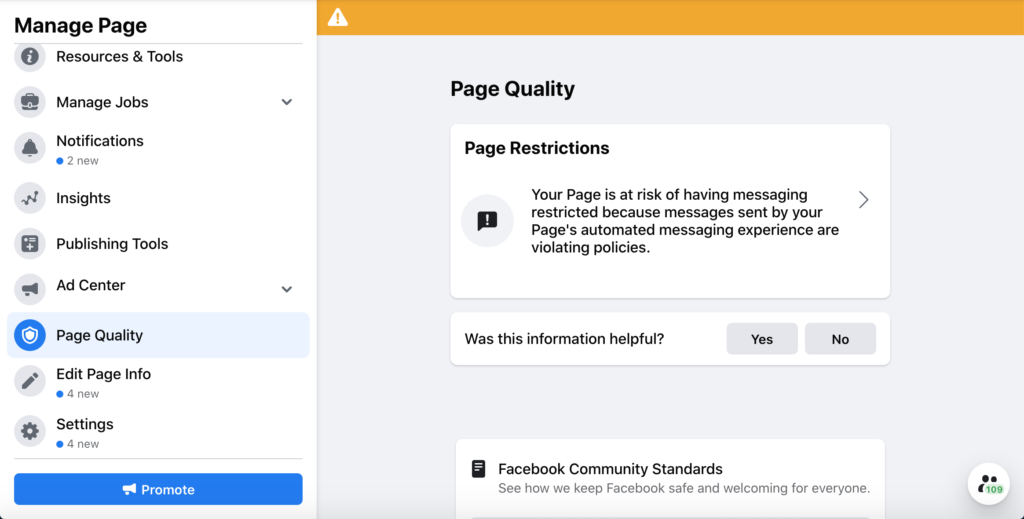
You can see a header displaying the status of your Page. The heading is green, yellow or red to reflect no violations(green), some violations(yellow), at risk of being unpublished or unpublished states(red).
What to Look For ?
Section titled “What to Look For ?”🟡 Content Violations
Section titled “🟡 Content Violations”Check for:
- Community Standard violations
- Copyright issues
- Hate speech or policy flags
🟡 Messaging Reports
Section titled “🟡 Messaging Reports”Check if:
- Users reported messages as spam
- Messenger interactions dropped suddenly
- Automated replies triggered warnings
🟡 Engagement vs Spam
Section titled “🟡 Engagement vs Spam”If engagement is unusually high while Page quality drops, it might be due to:
✅ Organic interest ❌ Spam-like behavior
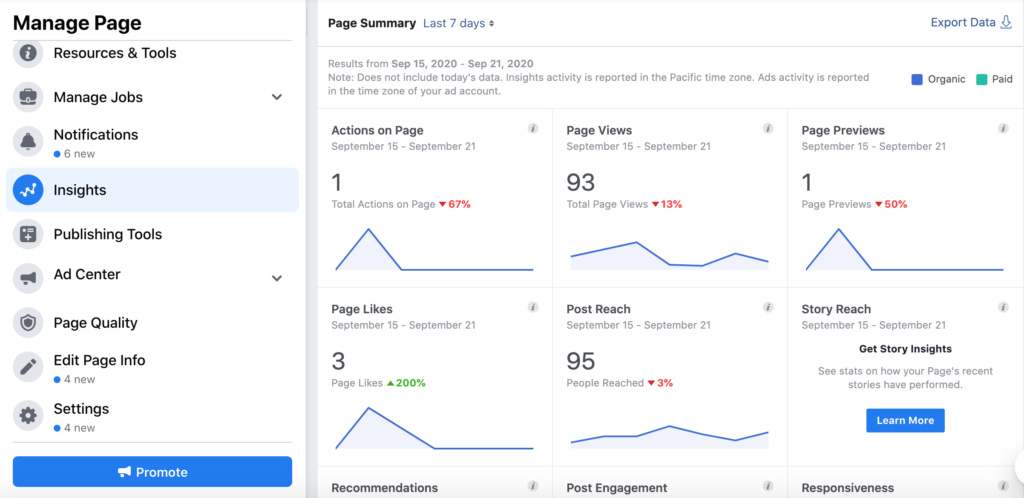
Page Insights > Page Summary
How Monitoring Helps Prevent Restrictions
Section titled “How Monitoring Helps Prevent Restrictions”When you monitor Page Quality and Insights:
✔ Catch policy warnings early ✔ Adjust messaging behavior proactively ✔ Reduce risk of temporary restrictions ✔ Improve overall Page rating
Best Practices to Protect Your Page
Section titled “Best Practices to Protect Your Page”✔ Avoid spam-like automation ✔ Respond to messages within 24 hours ✔ Do not send repeated or unsolicited bulk messages ✔ Encourage organic interaction ✔ Fix content or policy issues immediately
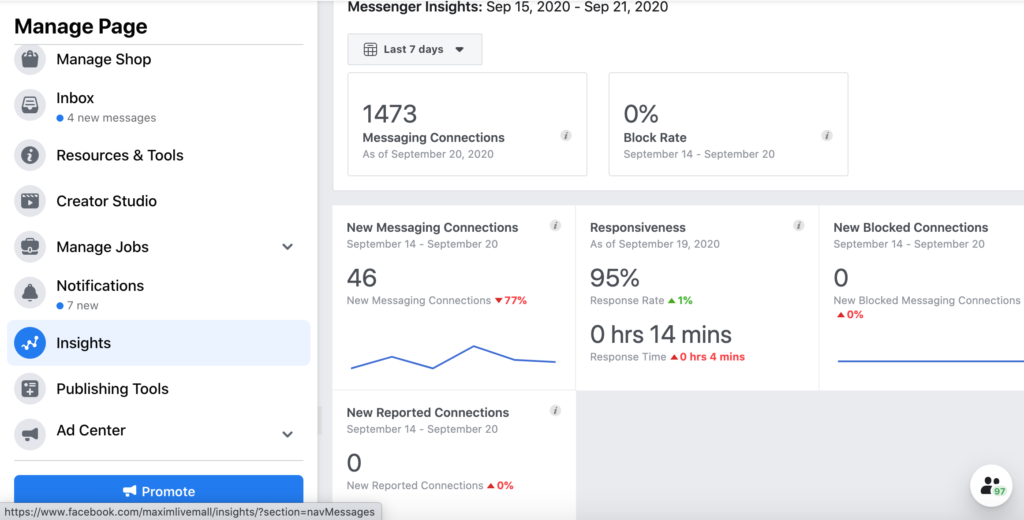
This number shows how many connections you had made in the month, how many were blocked, and the overall percentage — your block rate.
What’s an average block rate and what’s a high block rate on Facebook Messenger?
- 1-2% – Normal. A few people blocking you on Facebook Messenger, but nothing to get concerned about.
- 3-5% – Above average. If your number starts creeping up to 3% or more, it’s time to take a look at what you’re doing and why more people are blocking you.
- 6-8% – High. Something is clearly off, and you’re approaching the danger zone.
🔗 Related Resources
Section titled “🔗 Related Resources”🔗 Facebook Messaging Restrictions Explained 🔗 Facebook Blocked from Sending Messages 🔗 Facebook Permission Expired 🔗 Troubleshooting Messaging Delivery Issues