Connect Line Clear Account
Step 1: Configure Line Clear in Boxify
Section titled “Step 1: Configure Line Clear in Boxify”- Login into Boxify and go to Settings → Shipping Profiles.
- Create a new profile and select Line Clear profile.
- Click into Parameters & fill up all the required informations.

- Required informations in Parameters.
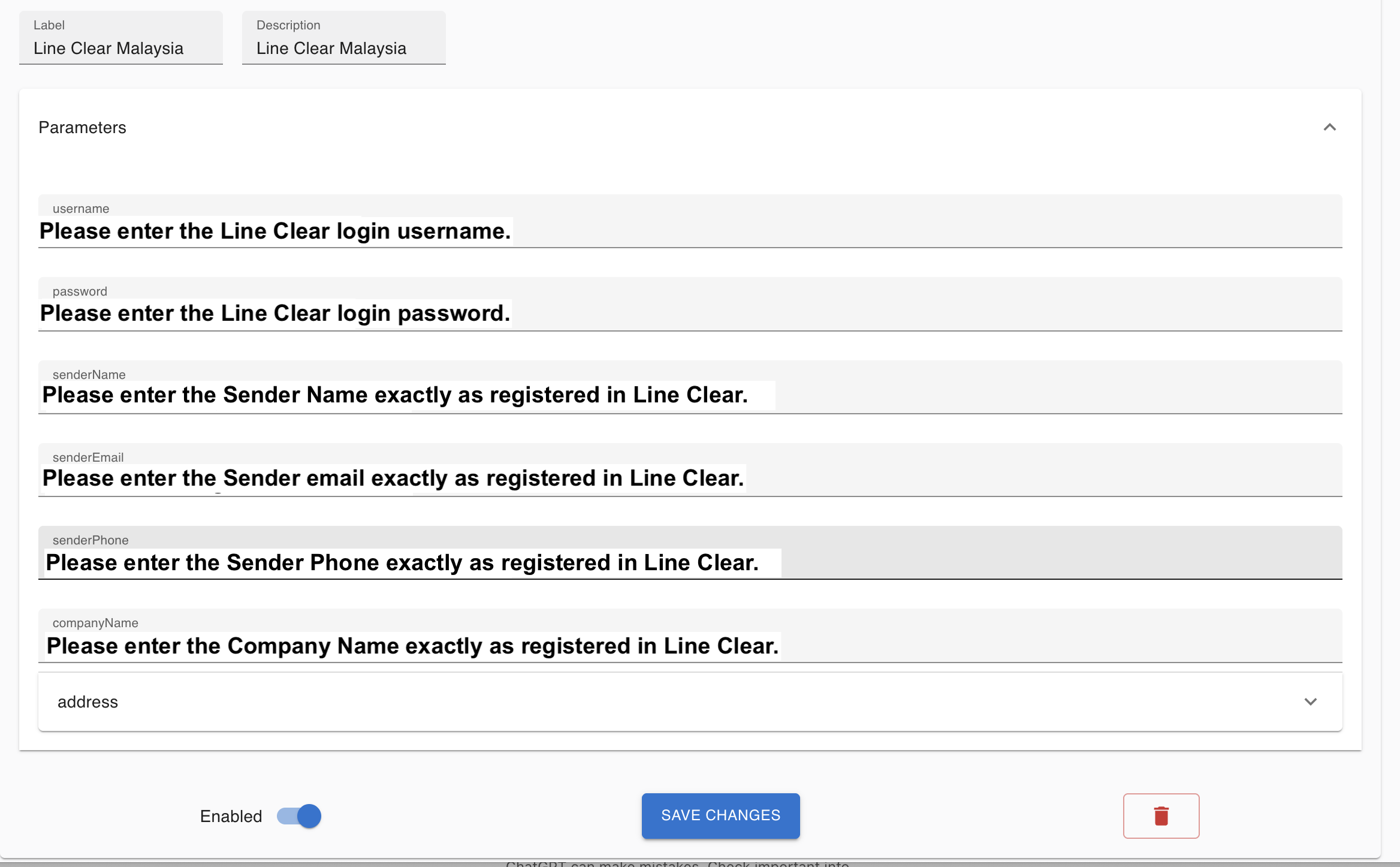
- Click into Address & fill up the address exactly as registered in Line Clear.
- Toggle on Enabled & click the Save Changes button.
Line Clear Malaysia Actions
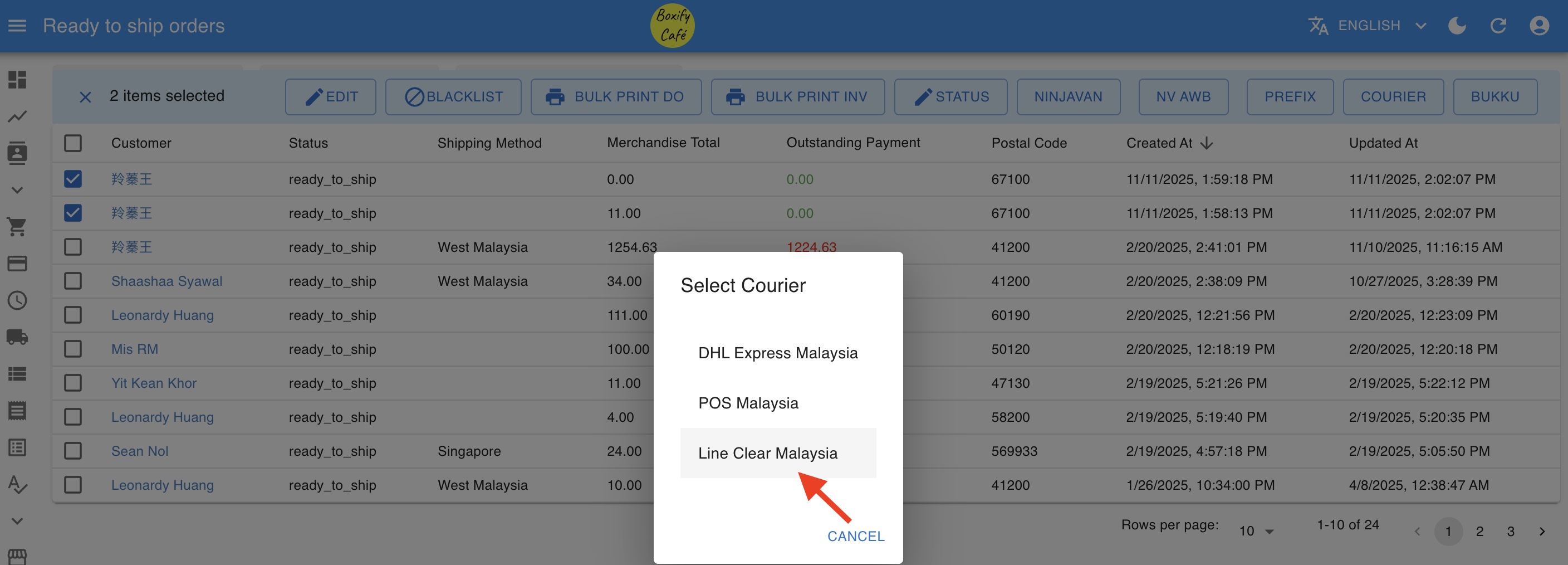
Section titled “Line Clear Malaysia Actions”- Select the orders that you want to send to Line Clear.
- Select “Couriers” -> “Line Clear” – > Select ‘Line Clear’.
Create AWB
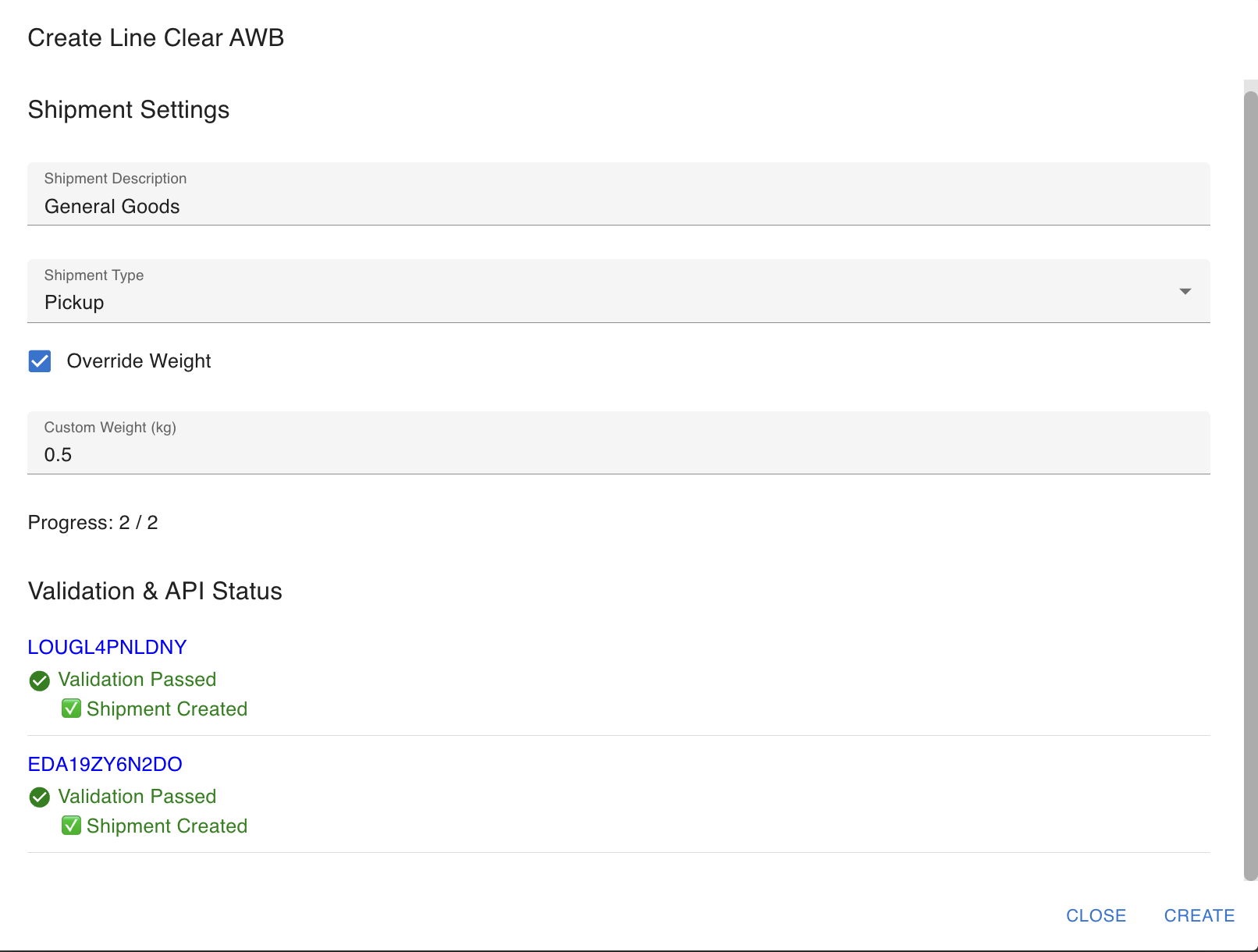
Section titled “Create AWB”- Send Boxify’s orders to Line Clear MALAYSIA to create an AWB.
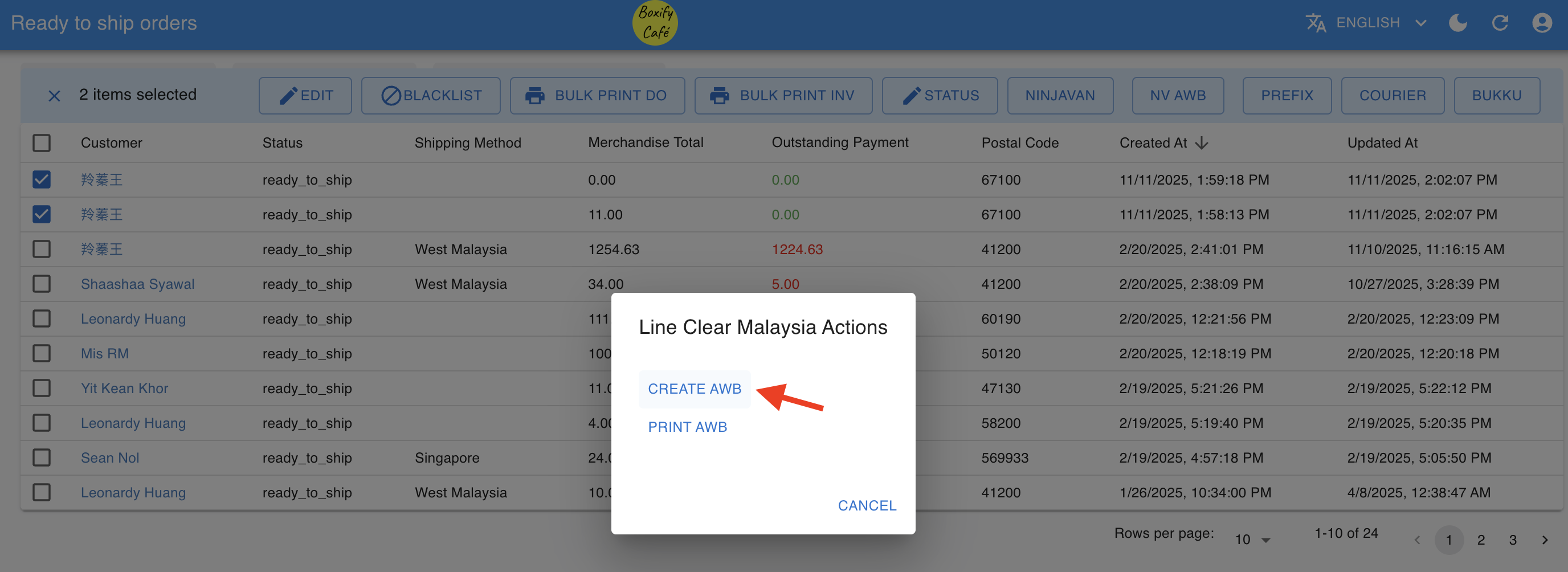
- Please make sure all orders include the item weight. Otherwise, you may tick the “Override Weight” box. The courier will re-measure the actual weight during pickup for final billing.
Print AWB
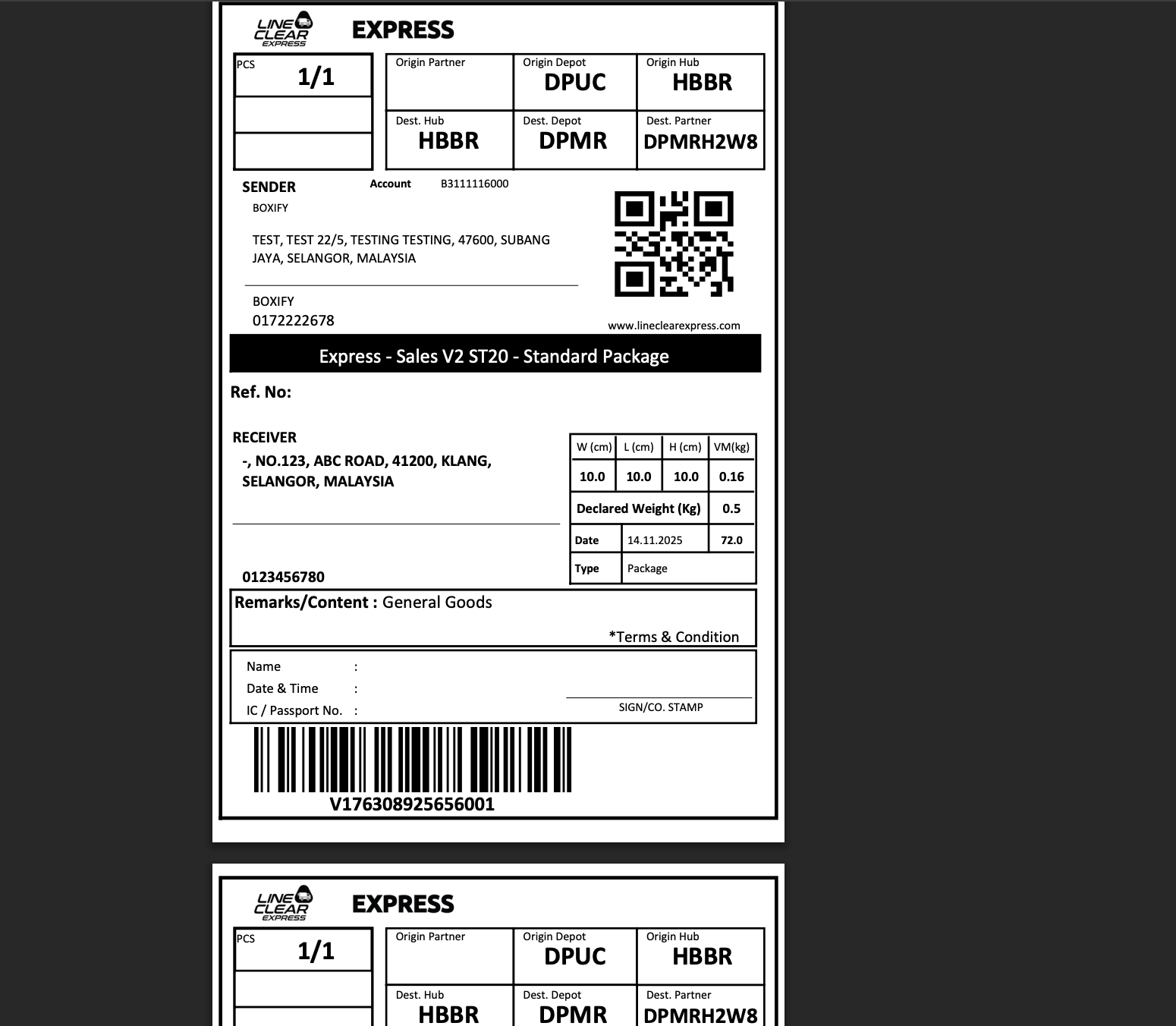
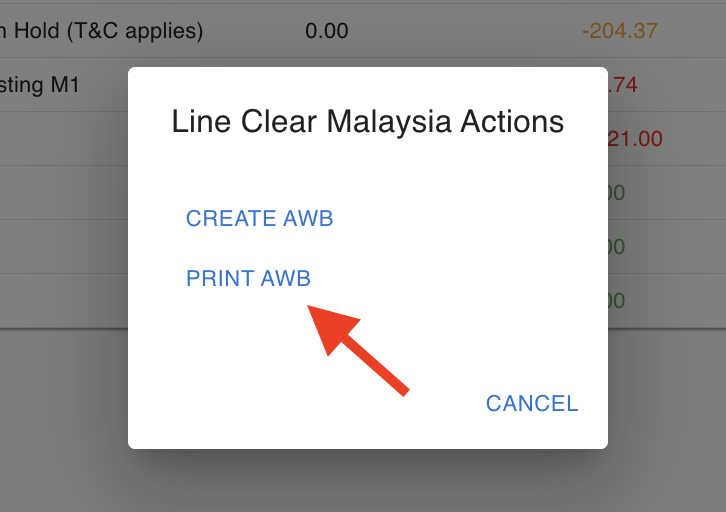
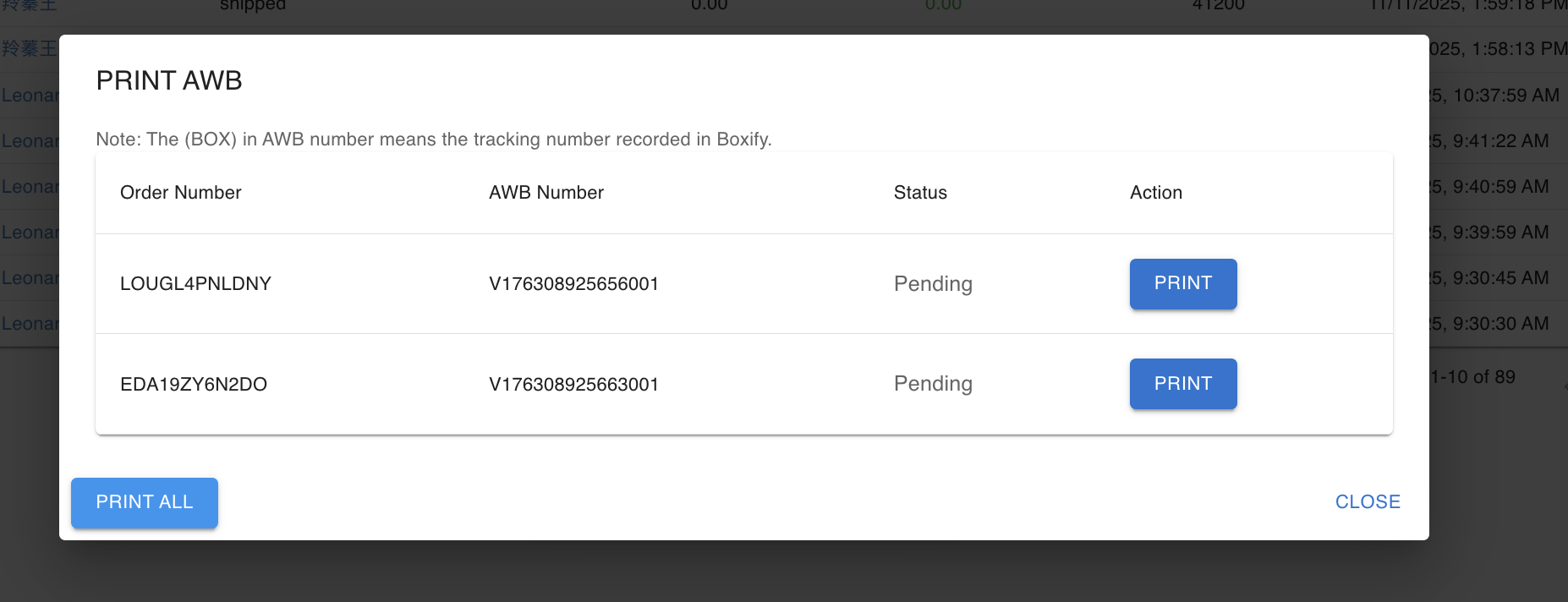
Section titled “Print AWB”After the airwaybill is successfully created, you may select “Print AWB” to print it.
You can choose to print each airwaybill individually or print all at once.
You will see the airwaybill displayed as an image.