Facebook Security & Spam Protection Alerts — What It Means
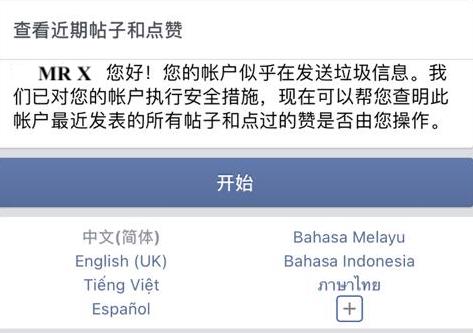
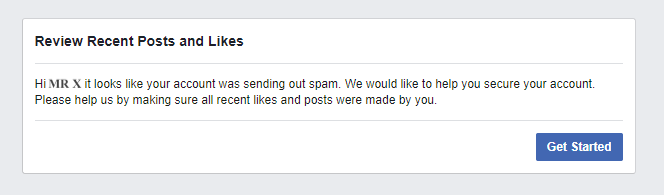
Facebook may occasionally show security alerts such as:
“It looks like your account was sending spam. We would like to help you secure your account…”
This type of message is not a Boxify system error. It is a notification from Facebook’s security system that may affect your Page’s ability to send messages temporarily.
Why This Happens
Section titled “Why This Happens”Facebook has automated systems in place to protect users from spam and abusive behavior. If Facebook detects messaging patterns that resemble spam or suspicious activity, it may trigger security alerts and limit actions temporarily.
Common reasons include:
1. Rapid or repeated messaging
Section titled “1. Rapid or repeated messaging”Sending too many similar messages in short bursts, especially outside the 24-hour messaging window.
2. High number of spam reports
Section titled “2. High number of spam reports”If users mark messages or comment notifications as spam, Facebook may flag the account.
3. Automated interactions detected
Section titled “3. Automated interactions detected”Heavy auto-replies, instant messages to many users, or bot-like behavior can trigger Facebook’s filters.
4. Multiple automated tools or pages
Section titled “4. Multiple automated tools or pages”Using several tools or integrations simultaneously may elevate the risk of triggering security protections.
What This Means for Your Page
Section titled “What This Means for Your Page”When Facebook triggers a spam/security alert:
✔ Messenger sending may be limited or temporarily blocked ✔ Orders may still be created in Boxify ✔ Customers may not receive messages ✔ Some automated replies may not go through
What You Can Do
Section titled “What You Can Do”✅ 1. Check Page Quality & Support Inbox
Section titled “✅ 1. Check Page Quality & Support Inbox”Go to:
📍 Facebook Page → Page Quality / Support Inbox
Look for:
- Spam report notifications
- Security warnings
- Temporary limitations
✅ 2. Reduce Spam-Like Messaging
Section titled “✅ 2. Reduce Spam-Like Messaging”Avoid:
✔ Sending repetitive messages too quickly ✔ Heavy auto-reply sequences immediately after many interactions ✔ Broadcasts outside the 24-hour interaction window
✅ 3. Respond to User Messages Manually When Possible
Section titled “✅ 3. Respond to User Messages Manually When Possible”Manual responses are less likely to be flagged as spam.
✅ 4. Use Messenger Features Correctly
Section titled “✅ 4. Use Messenger Features Correctly”Avoid:
❌ Auto-messaging to users who have not engaged ❌ Incentivized sharing that violates policy ❌ Multiple triggers sending identical text
Important Reminder
Section titled “Important Reminder”This alert is a protective action from Facebook, not a malfunction in Boxify.
Boxify follows Facebook’s platform rules and can only send messages within the allowed permissions and messaging windows.
To understand more about Facebook spam, please have a look at the Facebook here.
🔗 Related Content (Helpful Docs)