Set Up Online Payment Methods in Boxify
Boxify supports integrated online payment gateways to allow customers to make instant payment during checkout.
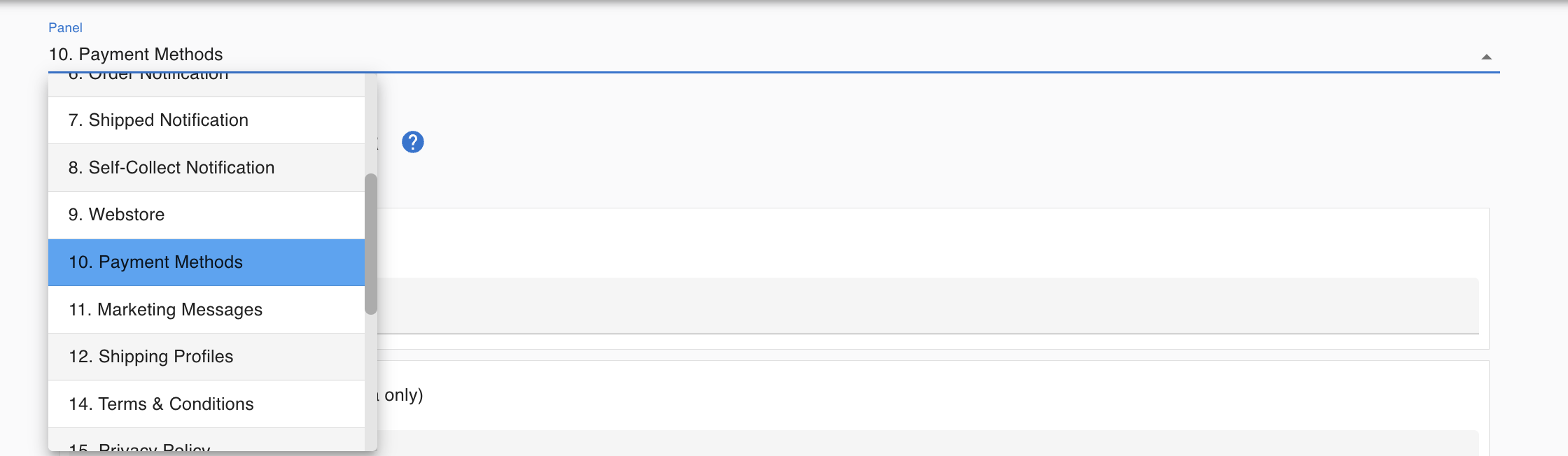
You can configure payment gateways under:
Profile → Setting → Payment Methods
Supported Payment Gateways (Malaysia)
Section titled “Supported Payment Gateways (Malaysia)”Boxify system currently supports 2 payment gateways for Malaysia merchants:
1️⃣ Hitpay (Recommended)
Section titled “1️⃣ Hitpay (Recommended)”Available for:
- Malaysia merchants
- Singapore merchants
Pricing https://hitpayapp.com/my/pricing
Register Account for Malaysia Merchants Malaysia – Sign-up Hitpay
Register Account for Singapore Merchants Singapore – Sign-up Hitpay
Hitpay offers:
✔ Support for Malaysia & Singapore ✔ Clean and user-friendly dashboard ✔ Responsive support team
For merchants who are new to online payments, Hitpay is generally easier to get started with.
2️⃣ Billplz
Section titled “2️⃣ Billplz”Available for:
- Malaysia merchants only
Pricing https://www.billplz.com/pricing
Register Account Malaysia Only Sign up Billplz
Billplz is a well-established Malaysian payment gateway suitable for local businesses.
Both gateways are fully supported in Boxify.
Recommend Hitpay, especially for merchants who:
- Prefer a more responsive support team
- Operate across Malaysia and Singapore
Ultimately, the choice depends on your business needs and existing gateway accounts.
How to Enable Online Payment in Boxify
Section titled “How to Enable Online Payment in Boxify”Step 1 : Go to Profile → Setting → Payment Methods
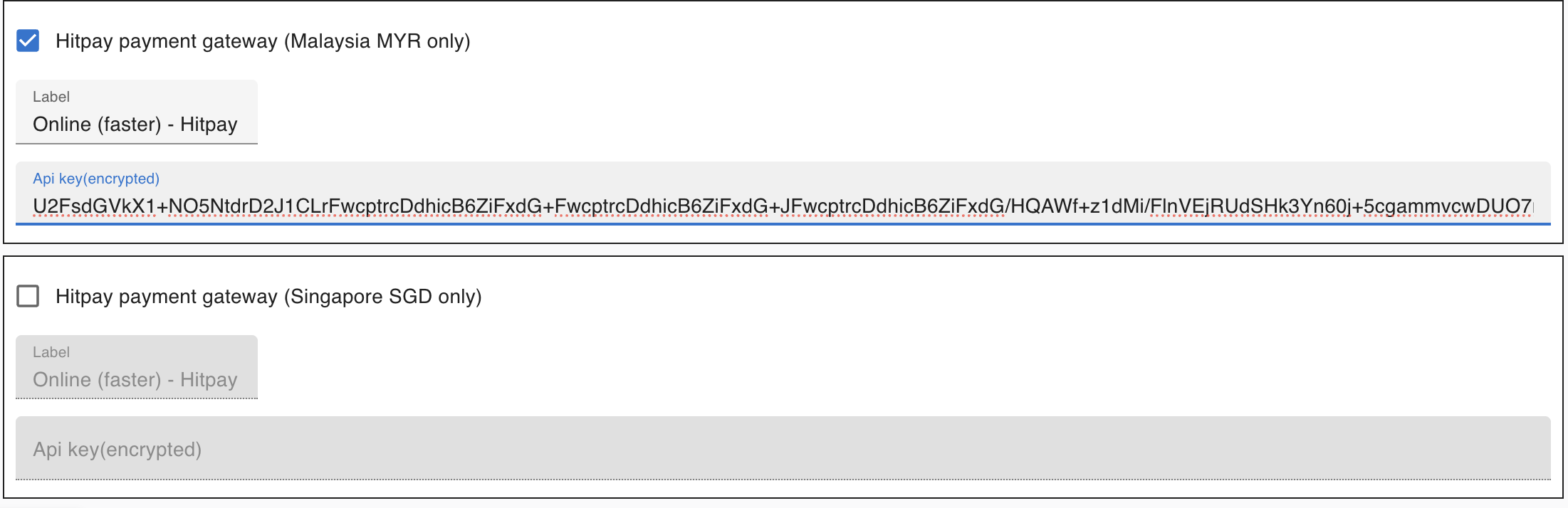
Step 2 : Select your preferred gateway (Hitpay or Billplz)
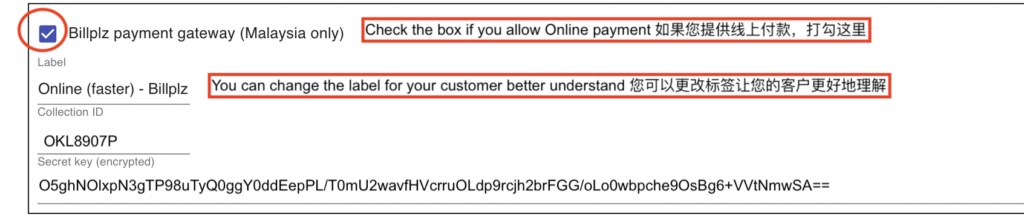
Step 3 : Enter your Required Merchant Credentials -> API Key / Secret Key
Step 4 : Click Save
How to Get API Key & Secret Key
Section titled “How to Get API Key & Secret Key”You must first register an account directly with the payment provider.
🔹 Hitpay
Section titled “🔹 Hitpay”- Log in to your Hitpay Dashboard
- Go to Payment Gateway / API Settings
- Copy your:
- API Key
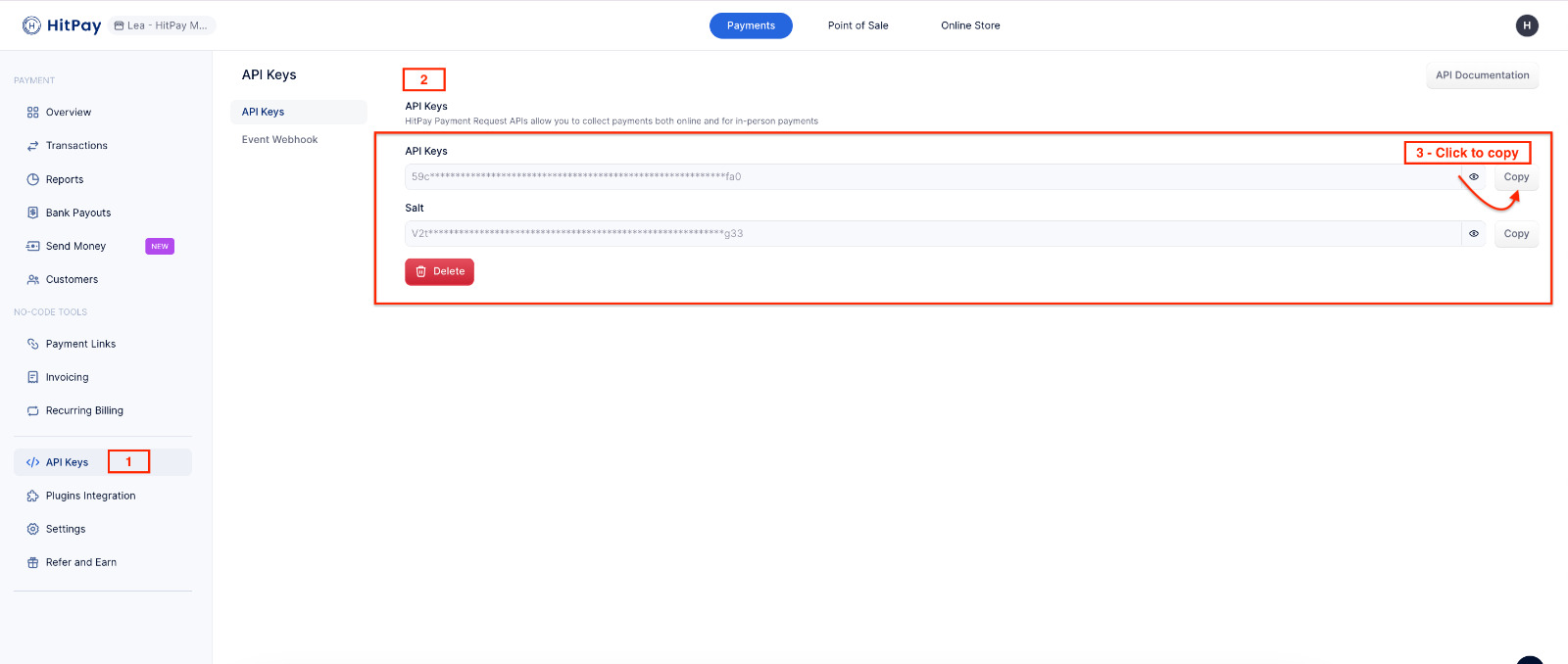
- API Key
Paste these into Boxify.
Additional Resources:
🔹 Billplz
Section titled “🔹 Billplz”- Log in to your Billplz Dashboard
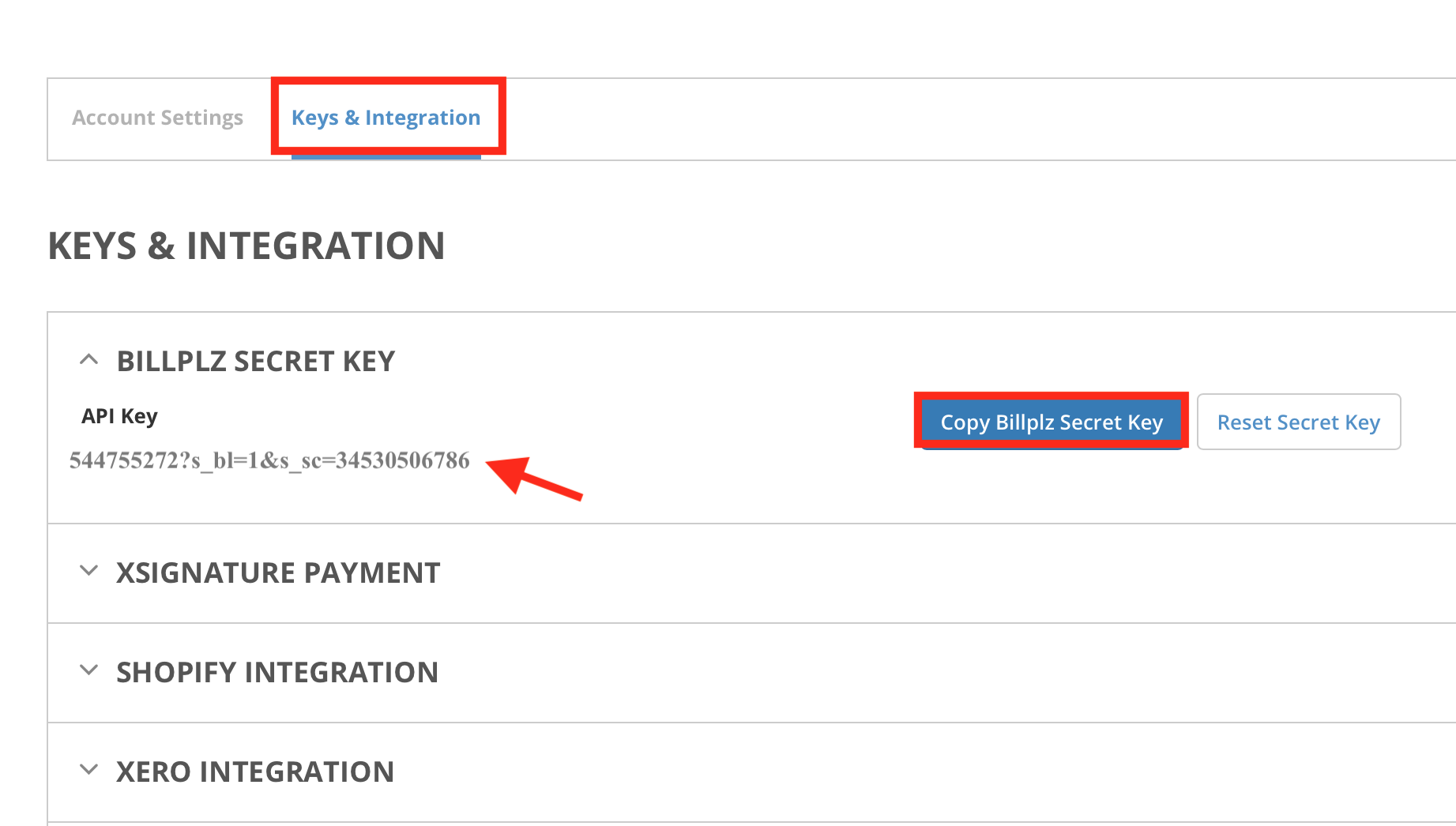
- Go to Settings → Keys & Integration.
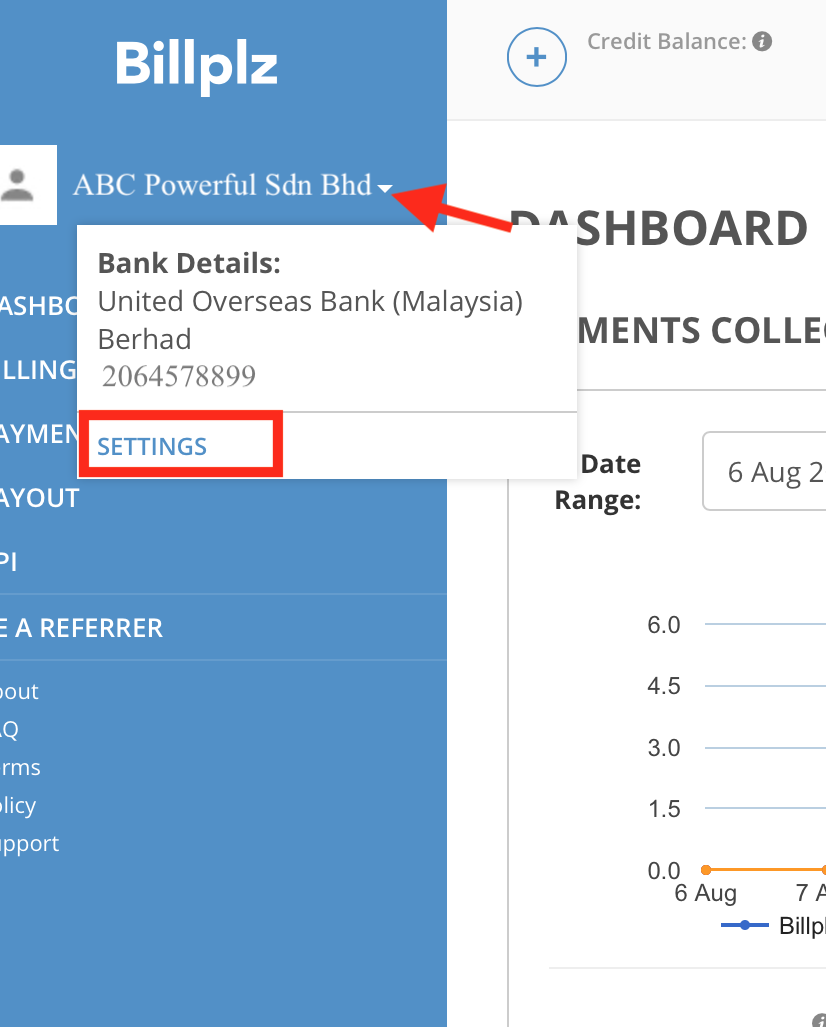
- Copy your:
- Secret Key
- Secret Key
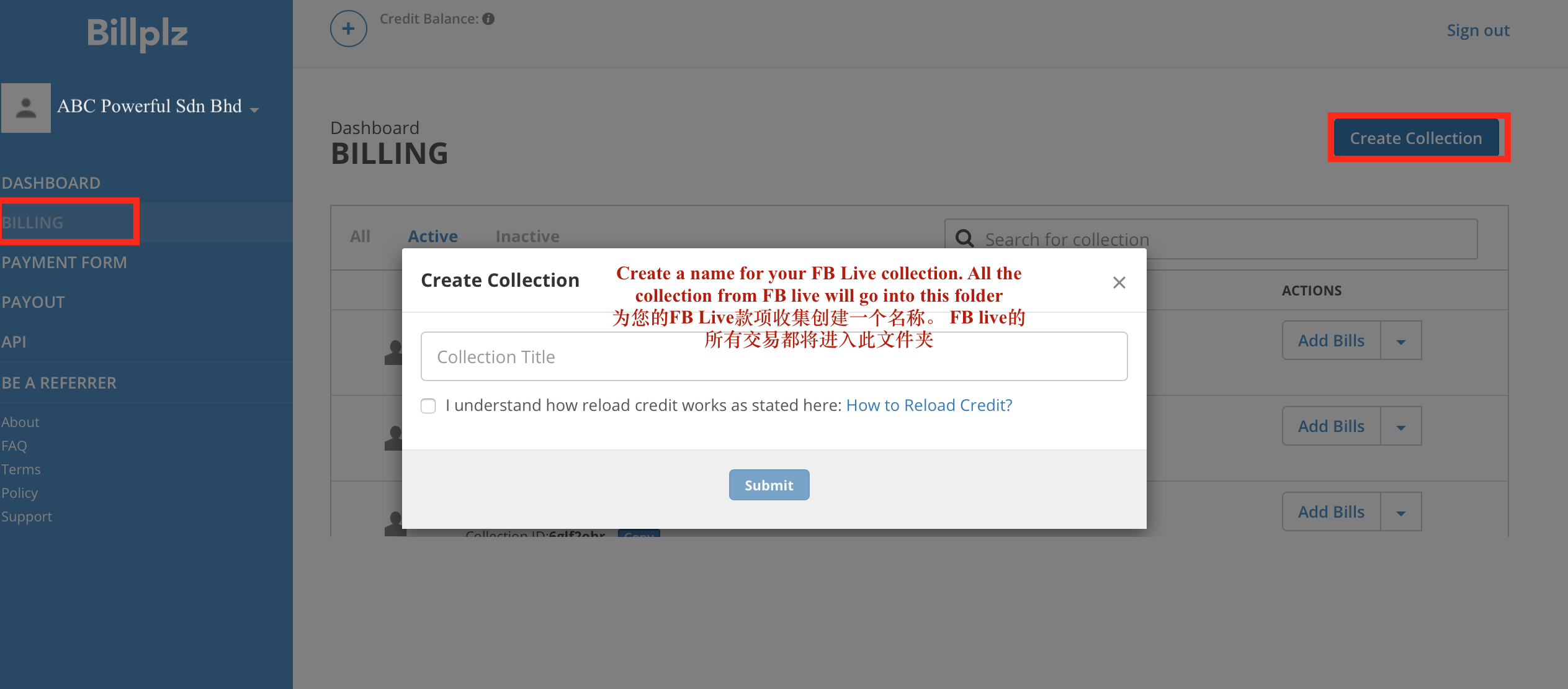
- Create a Collection:
Go to Billing > Create Collections – Name your collection (e.g., your Facebook Page name).
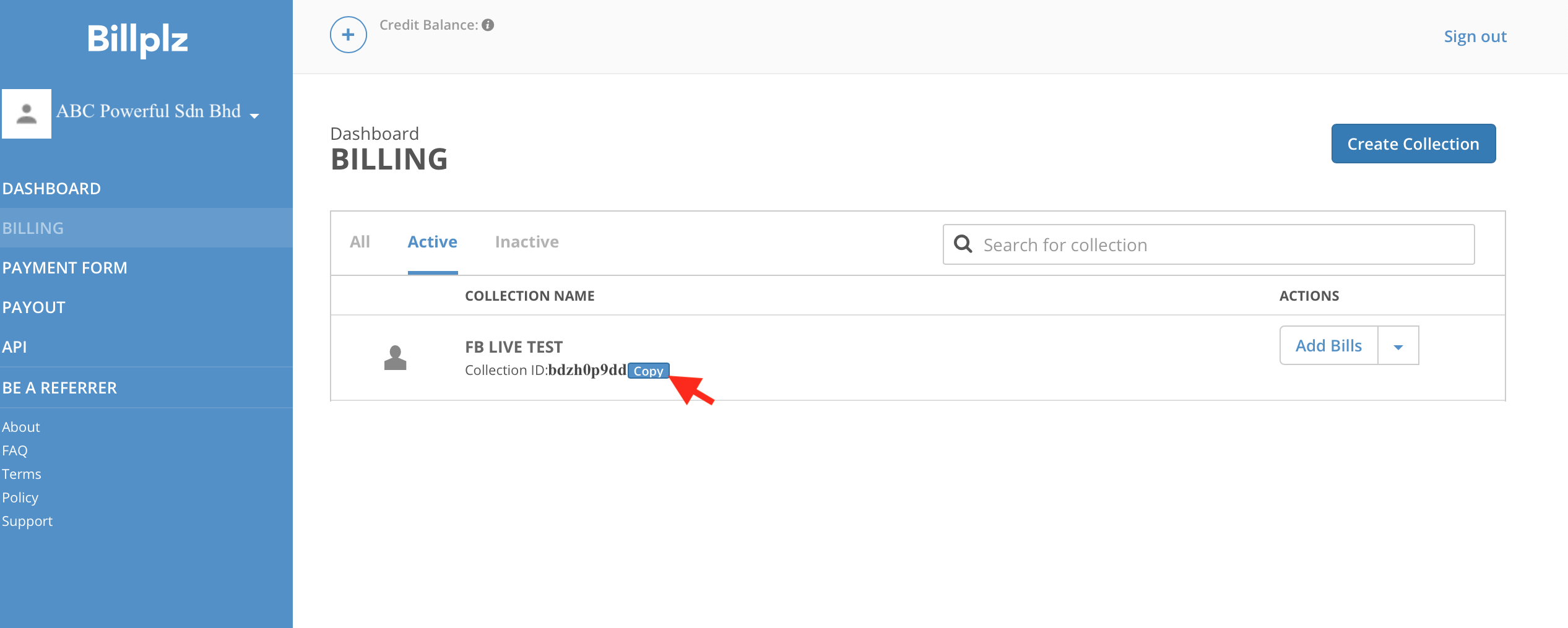
- Copy the Collection ID.
- Paste these into Boxify.
Additional Resources:
- Activating E-wallet with Billplz
- Integrating E-wallet with Billplz
- Billplz Settlement Information
- FPX Transaction Checker
- Card Payments via Billplz
- Integrating PayPal with Billplz
How Online Payment Works
Section titled “How Online Payment Works”Once configured:
✔ Customer selects online payment at checkout ✔ Customer is redirected to payment gateway ✔ Upon successful payment:
- System auto reconciles
- Item status becomes Paid
- Order status updates based on shipping option
If payment fails:
- Order remains under Waiting for Online Payment
- Merchant should not ship the order
Important Notes
Section titled “Important Notes”- Online payments are automatically confirmed by the system.
- Manual reconciliation is not required for successful gateway transactions.
- Always test a small transaction before going live.
- Ensure your gateway account is fully activated before accepting payments.
Quick Comparison
Section titled “Quick Comparison”| Gateway | Malaysia | Singapore |
|---|---|---|
| Hitpay | ✅ Yes | ✅ Yes |
| Billplz | ✅ Yes | ❌ No |