Setting on Admin Panel
Admin Panel Settings
Section titled “Admin Panel Settings”The Admin Panel Settings allow merchants to control system permissions, ordering behavior, and operational restrictions.
These settings are useful for managing staff permissions and maintaining system accuracy during live selling.
Allow Admin Delete Orders
Section titled “Allow Admin Delete Orders”This setting controls whether Admin users are allowed to delete orders.
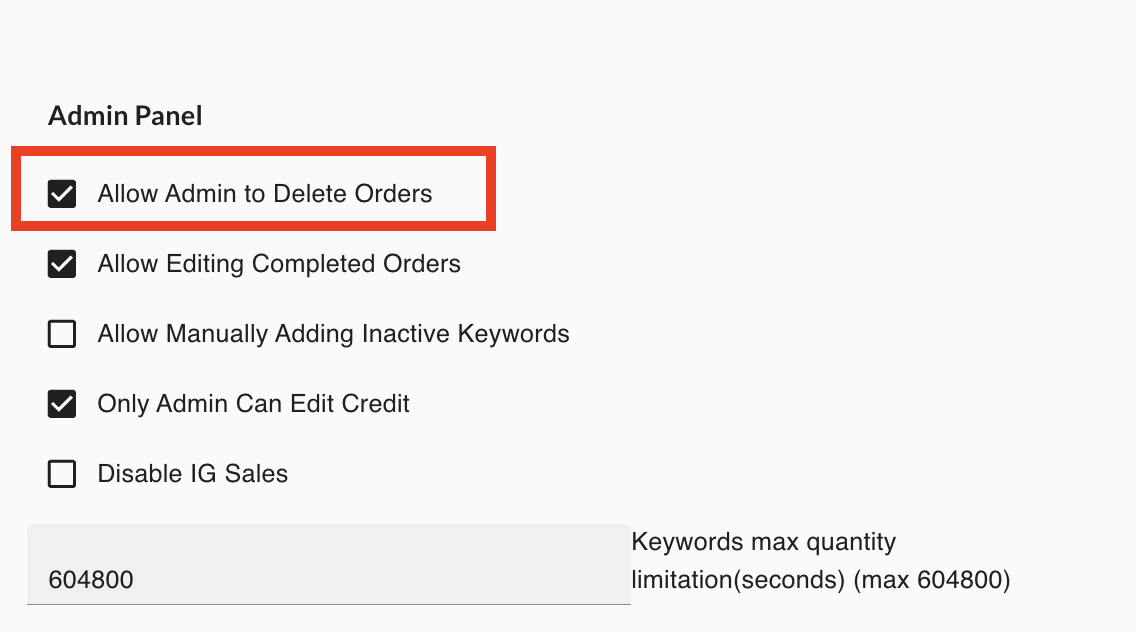
How it works
When enabled:
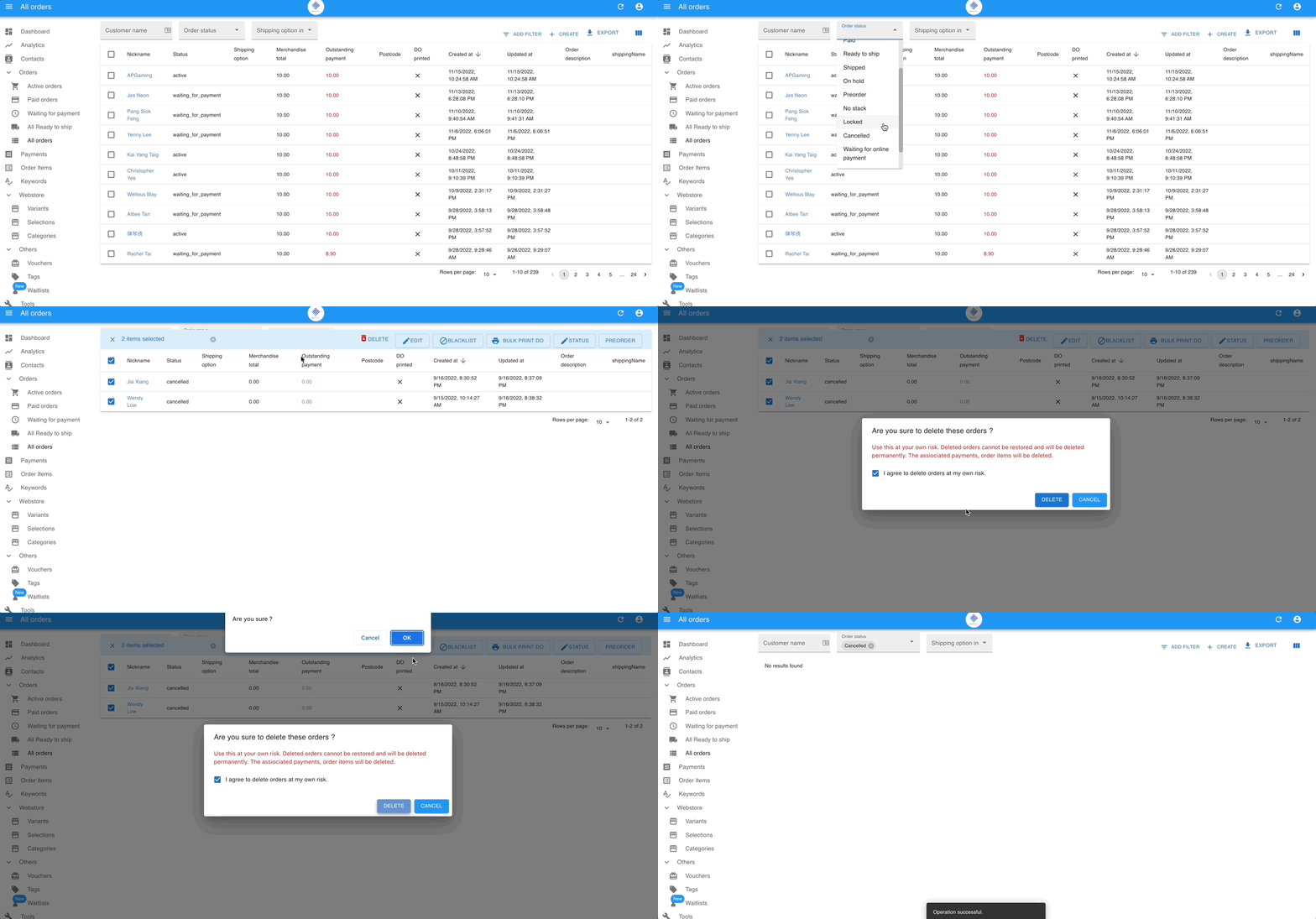
✔ Admin users can delete orders only if the order status is Cancelled.
Orders with other statuses cannot be deleted.
Important Note
Section titled “Important Note”This restriction ensures that:
- Completed orders are preserved for record keeping
- Active orders are not accidentally removed
Deleting orders should only be used when cleaning up cancelled or invalid orders.
Allow Editing Completed Orders
Section titled “Allow Editing Completed Orders”This setting allows Admin users to edit orders that are already completed.
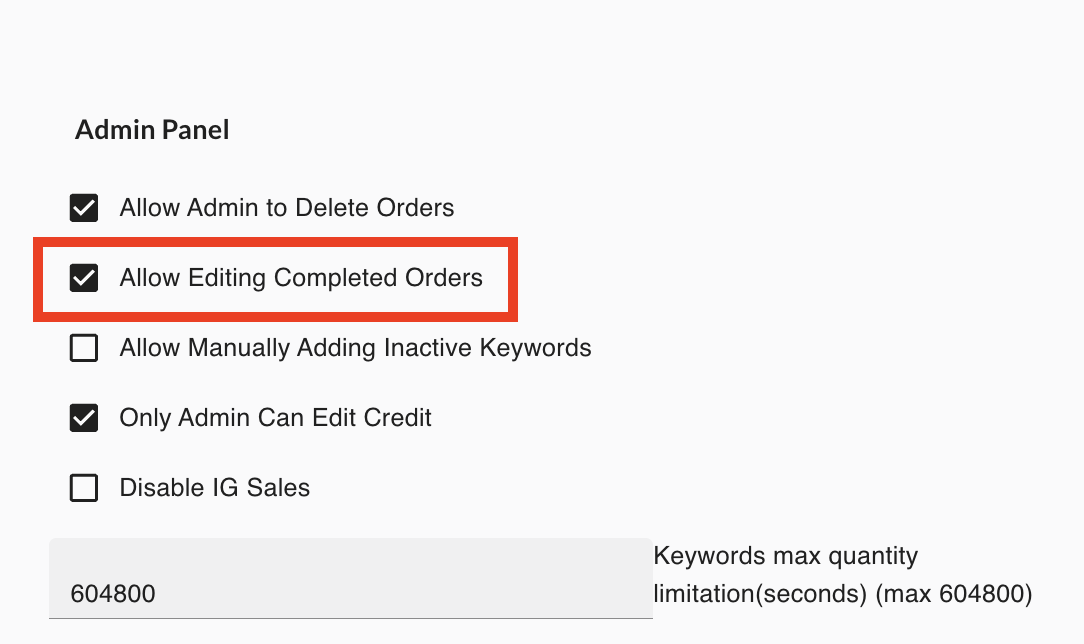
Completed orders include:
- Shipped orders
- Cancelled orders
How it works
Section titled “How it works”When enabled: ✔ Admin users can edit information in completed orders.
When disabled: ❌ Completed orders become read-only and cannot be modified.
When this is useful
Section titled “When this is useful”This option may be used when:
- Adjusting order information for record accuracy
- Correcting shipping or order details after completion
Merchants should edit completed orders carefully to maintain accurate records.
Allow Manually Adding Inactive Keywords
Section titled “Allow Manually Adding Inactive Keywords”This setting controls whether inactive keywords can be manually added to orders.
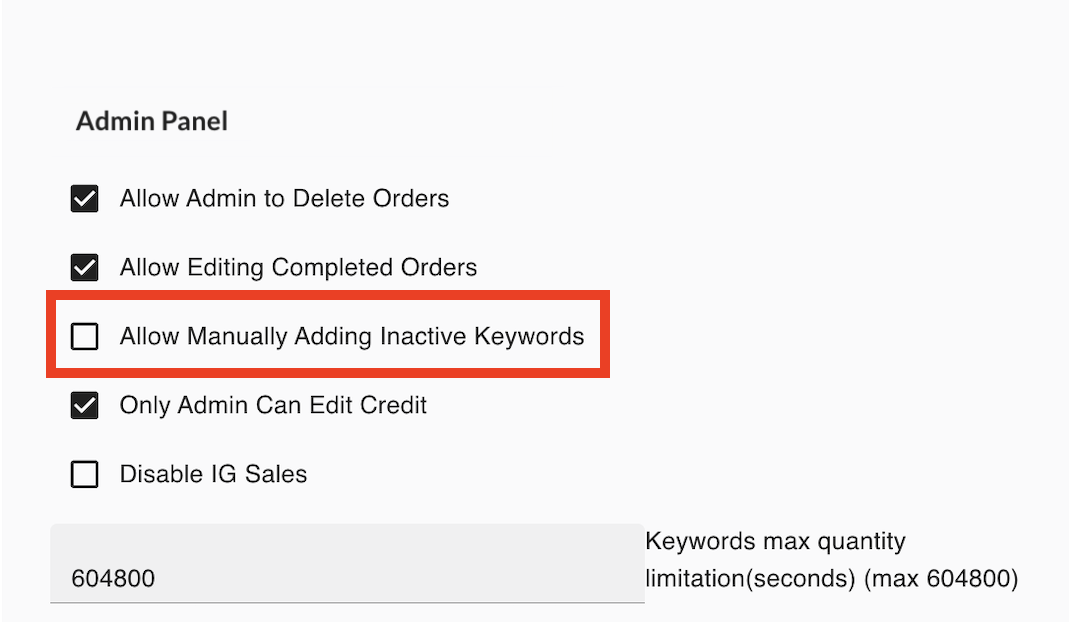

How it works
Section titled “How it works”When enabled: ✔ Admin users can manually create orders using keywords that are currently inactive.
When disabled: ❌ The system will only allow active keywords to be used when creating orders.
When this is useful
Section titled “When this is useful”This is helpful when:
- You need to process orders for past products
- A keyword was temporarily disabled but still needs to be used for manual order entry
Only Admin Can Edit Credits
Section titled “Only Admin Can Edit Credits”This setting restricts who can modify customer credit balances.

How it works
Section titled “How it works”When enabled: ✔ Only Admin role users can edit the credit amount of customers.
Other roles such as assistants or staff will not be able to modify credit values.
Why this matters
Section titled “Why this matters”Customer credit represents store value, which may affect financial records.
Restricting this permission helps prevent accidental changes.
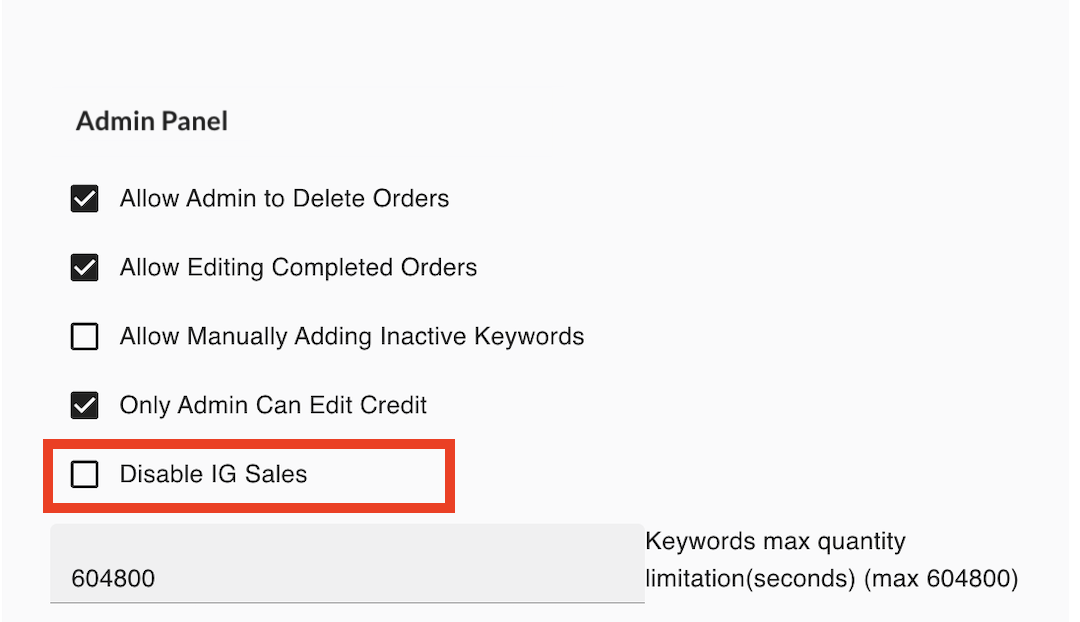
Disable IG Sales
Section titled “Disable IG Sales”This setting stops the system from collecting orders from Instagram.
How it works
Section titled “How it works”When enabled: ✔ The system will not collect orders from Instagram comments.
Other channels such as Facebook or Messenger will continue to work if they are enabled.
When to use this
Section titled “When to use this”This is useful if:
- Your store is not selling through Instagram
- You want to temporarily pause IG sales
Keywords Max Quantity Limitation (Seconds)
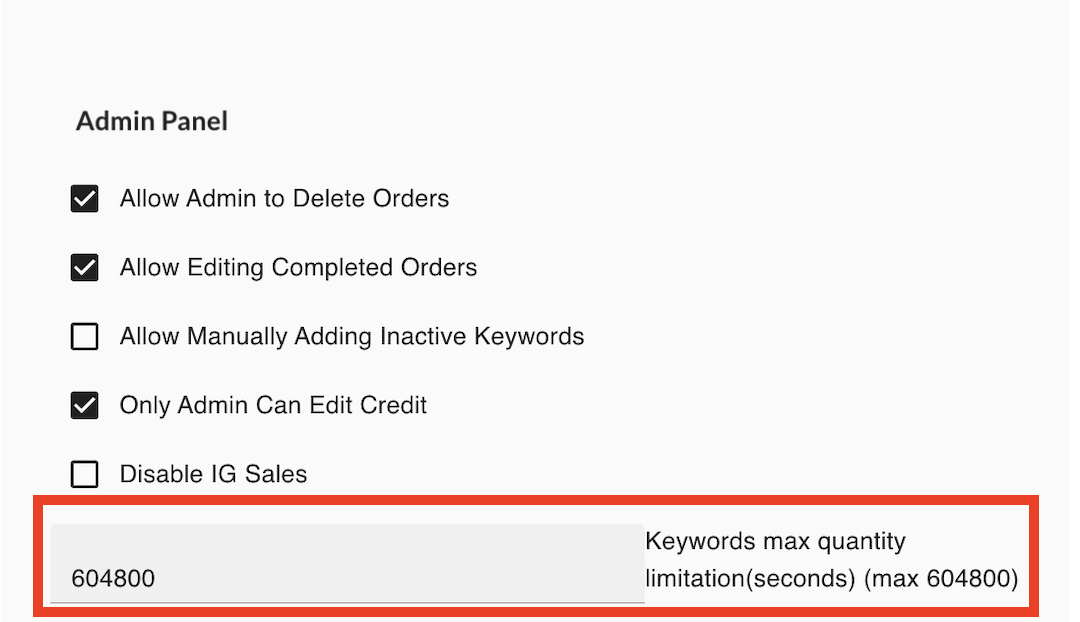
Section titled “Keywords Max Quantity Limitation (Seconds)”This setting controls the time validity for the quantity limit applied to keywords.
How it works
Section titled “How it works”-
In the Keywords settings, merchants can define the maximum quantity a customer can order.
-
This Admin Panel setting determines how long that quantity restriction remains active.
-
The time is calculated in seconds.
-
The configured value will apply to all keywords in the system.
Important Behavior
Section titled “Important Behavior”This limitation only applies when customers place orders through keyword comments.
If needed, merchants can still manually add orders for customers regardless of this restriction.
Example
Section titled “Example”If the quantity limit for a keyword is 2 items, and the limitation time is set to 300 seconds:
- The customer cannot exceed the quantity limit within that time window.
- After the time window passes, the customer may place another order again.
Maximum Value
Section titled “Maximum Value”The maximum allowed value is:
604800 seconds (7 days)