Setting Up Country Code, Currency, and Shipping Countries in Boxify
Before creating product keywords or launching your store, it’s essential to configure your country code, currency, and shipping countries. This ensures accurate pricing and shipping options for your customers.
How to Configure These Settings:
Section titled “How to Configure These Settings:”- Access Settings:
- Navigate to Profile > Settings > Parameters.
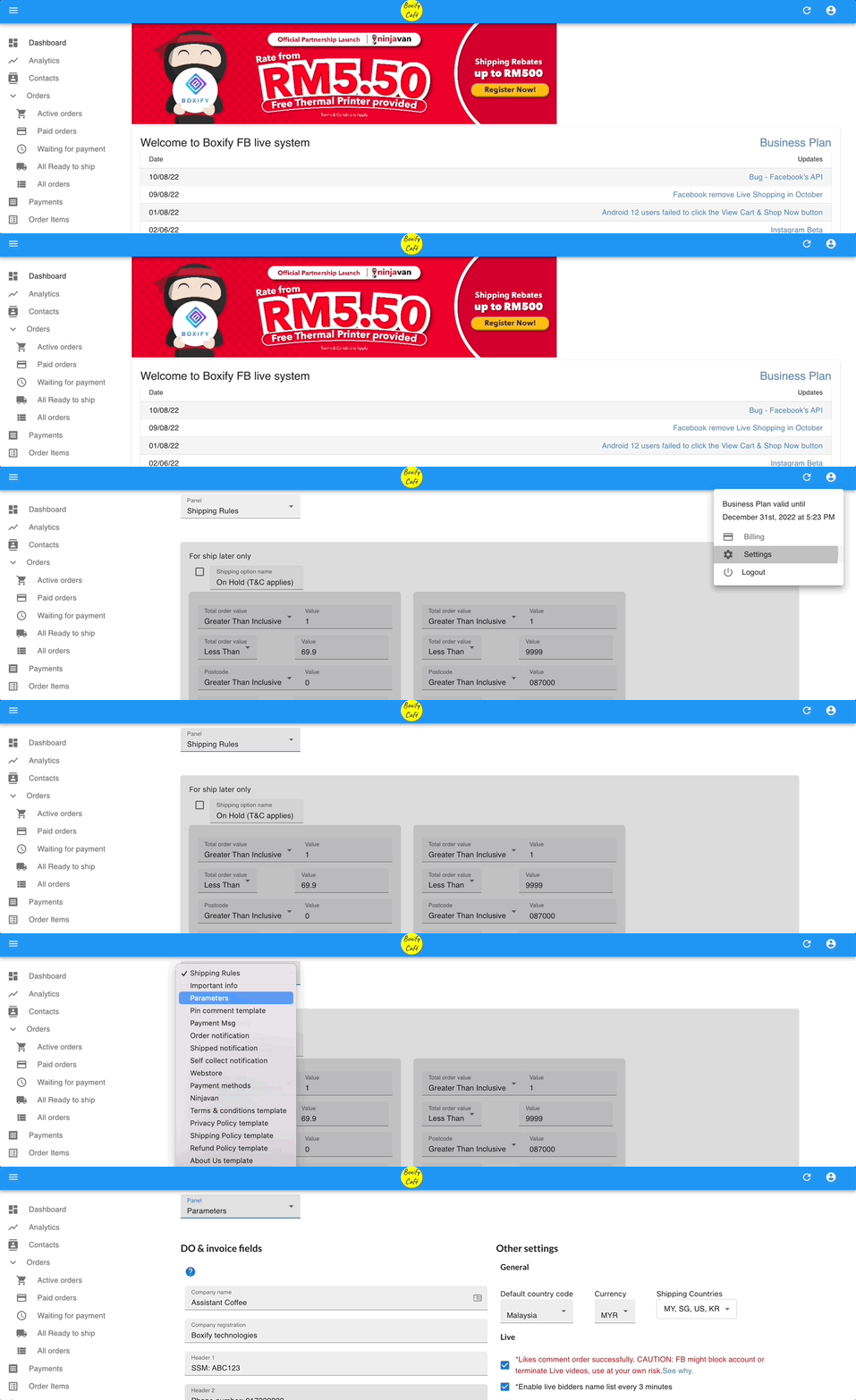
2. Set Country Code:
- Click the dropdown arrow next to Country Code.
- Select your country (e.g., Malaysia is set as the default).
- Choose Currency:
- Click the dropdown arrow next to Currency.
- Select the currency you wish to use for product pricing (e.g., MYR, SGD, USD).
4. Define Shipping Countries:
- Click the dropdown arrow next to Shipping Countries.
- Select all countries you plan to ship to.
- Customers will see these options in their shopping cart during checkout.
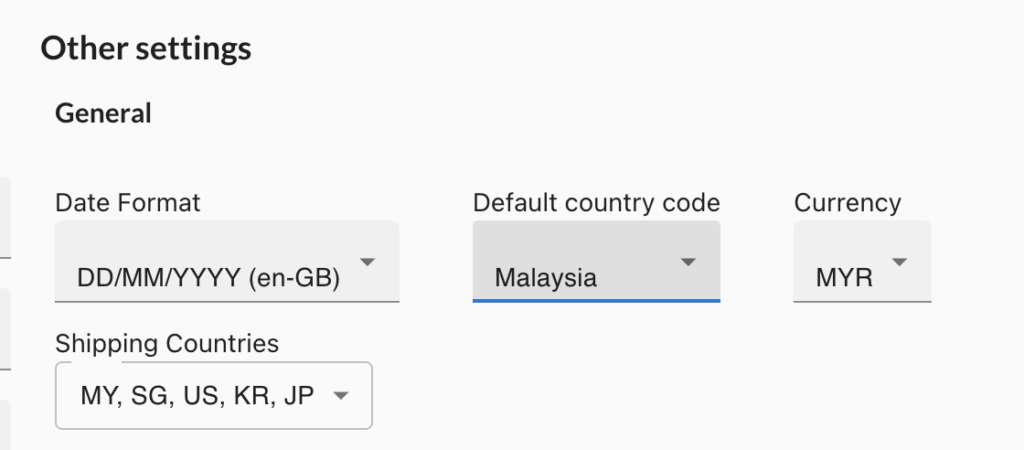
By setting these parameters, you ensure that your store operates smoothly and provides accurate information to your customers.
